Cozy Cube Free Edition is out: decorate a pixel room in your browser
By Vu Nguyen
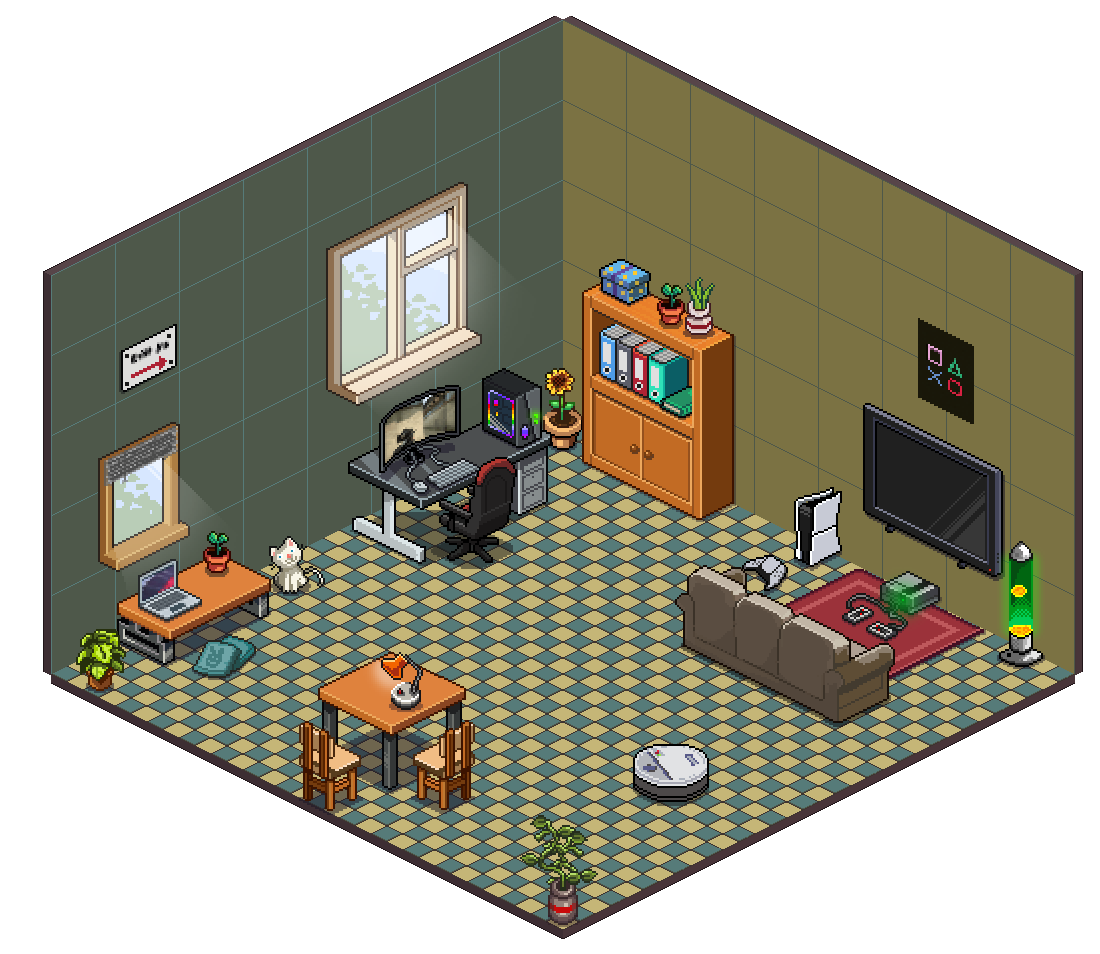
Cozy Cube is our first game, and its Free Edition is out today. It is a small decorating game: you get one cozy pixel room and a box of furniture, and you make it feel like yours. It runs in your browser, so there is nothing to download and no account to make.
What you can do in the Free Edition
The Free Edition gives you one room to decorate, at the game’s standard size. You pick the floor, the walls and the view outside the window, then fill it with furniture, plants and little things.
- Make it yours. Add furniture, plants and more, and build a space that feels like you.
- Find your happy angle. Drag a piece over, turn it around, and try it again. A new angle can make a whole room feel different.
- Add the finishing touch. Place decorations on desks, shelves and tables. It’s the little things that make it feel like home.
- Share a little joy. Send your room to a friend as a link. They can open it in their browser too.
The Free Edition includes 50 furniture and decor pieces, 12 floors, 12 wall styles and 6 backdrops.
Where your room lives
Your room is saved on your device, in the browser you play in. If you might switch devices or clear your browser, keep a backup.
What comes next: Full Edition
We are also working on Cozy Cube Full Edition. It is in development and it will be a one-time purchase. Its contents, release date and price are not final yet, so we will share them when they are. The Cozy Cube site shows a preview of the rooms and pets we are working on.
The Free Edition stays free to play.
Tell us what you think
This is our first game, and the Free Edition is how we learn what to make next. If something feels off, or you made a room you love, write to us at support@jcstudio.org.